

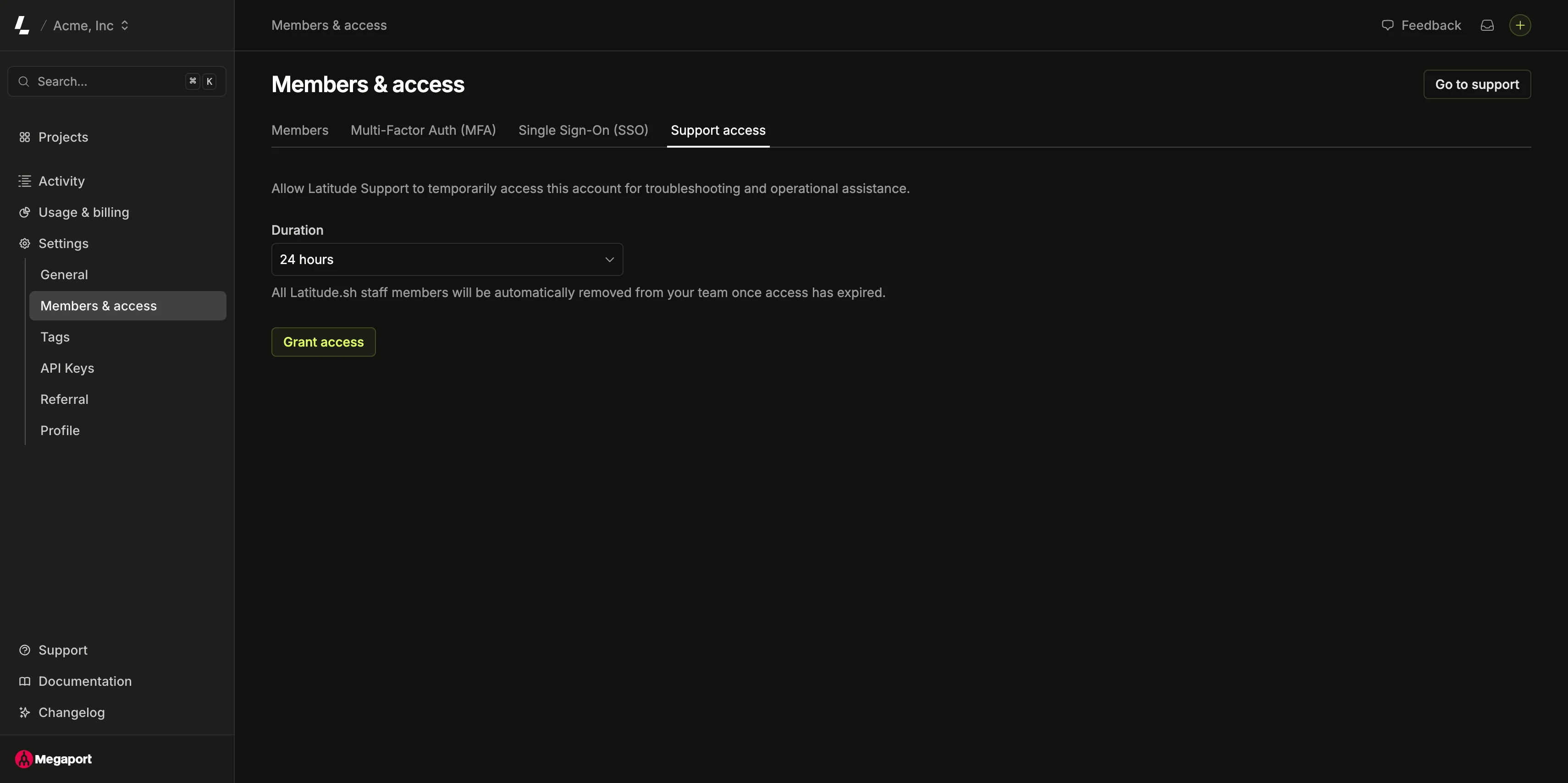
Grant access
1
Open Support access
In the dashboard, go to Support and click Support account access, or navigate to Settings → Members & access → Support access.
2
Choose a duration
Pick how long staff should have access from the Duration dropdown:
- 8 hours
- 24 hours (default)
- 48 hours
- 1 week
3
Grant access
Click Grant access. The page updates to show an Active status and the date and time the access expires.
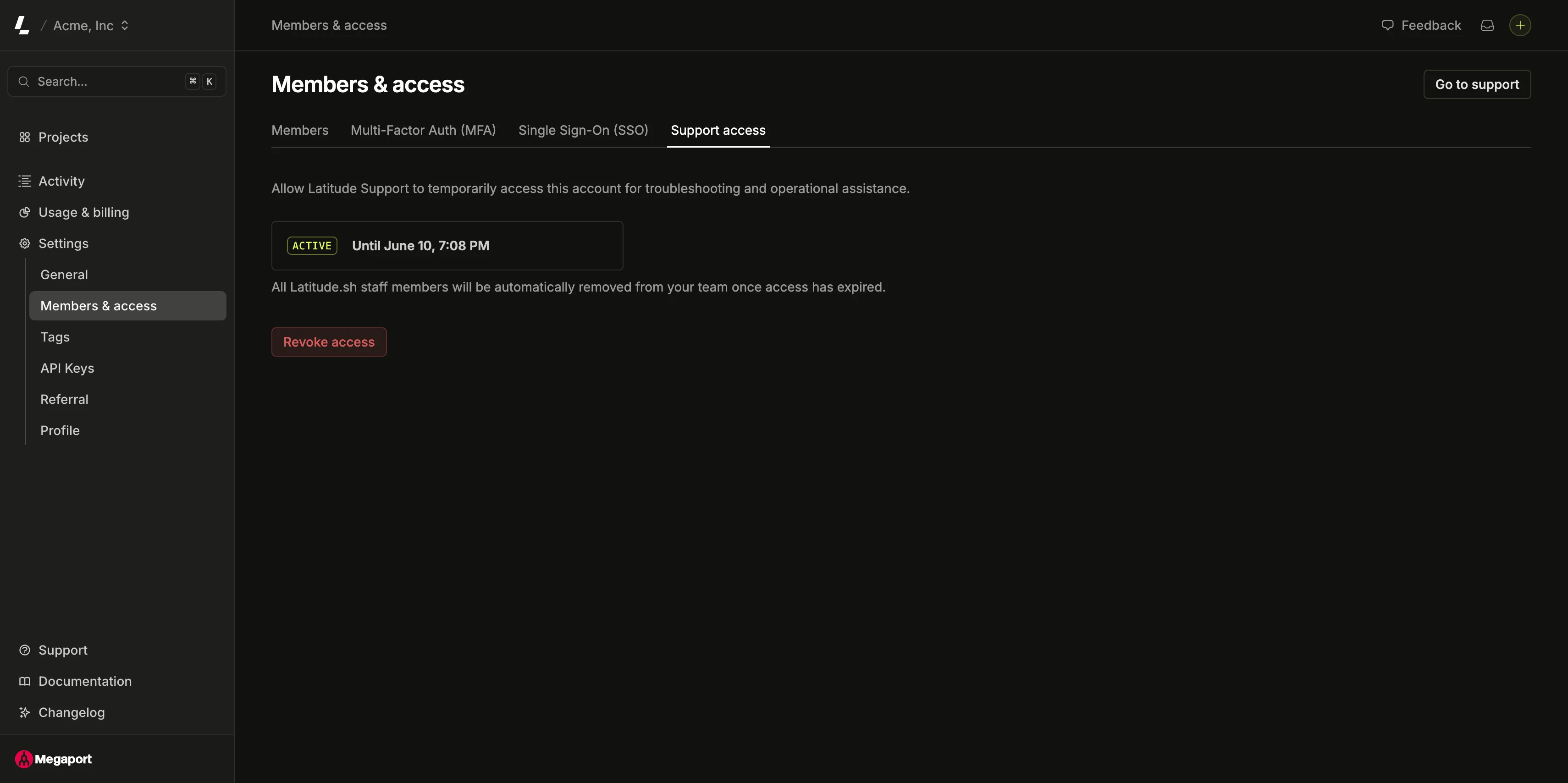
Expiration
Support access always ends—you never have to remember to turn it off.All Latitude.sh staff members are automatically removed from your team once access has expired.
Revoke access early
You don’t have to wait for the timer to run out. While access is active, open the Support access page and click Revoke access. Staff members are removed from your team immediately.Related
- Contact support — chat with the AI agent or open a ticket.
- Team members — manage who belongs to your team and their roles.