> ## Documentation Index
> Fetch the complete documentation index at: https://www.latitude.sh/docs/llms.txt
> Use this file to discover all available pages before exploring further.
# Bandwidth usage
The **Usage & billing** section on the Latitude.sh dashboard provides detailed insights into your project's data transfer, helping you monitor ingress and egress traffic.
To view bandwidth usage, go to **Usage & Billing** → **Overview**, then click **View details**.
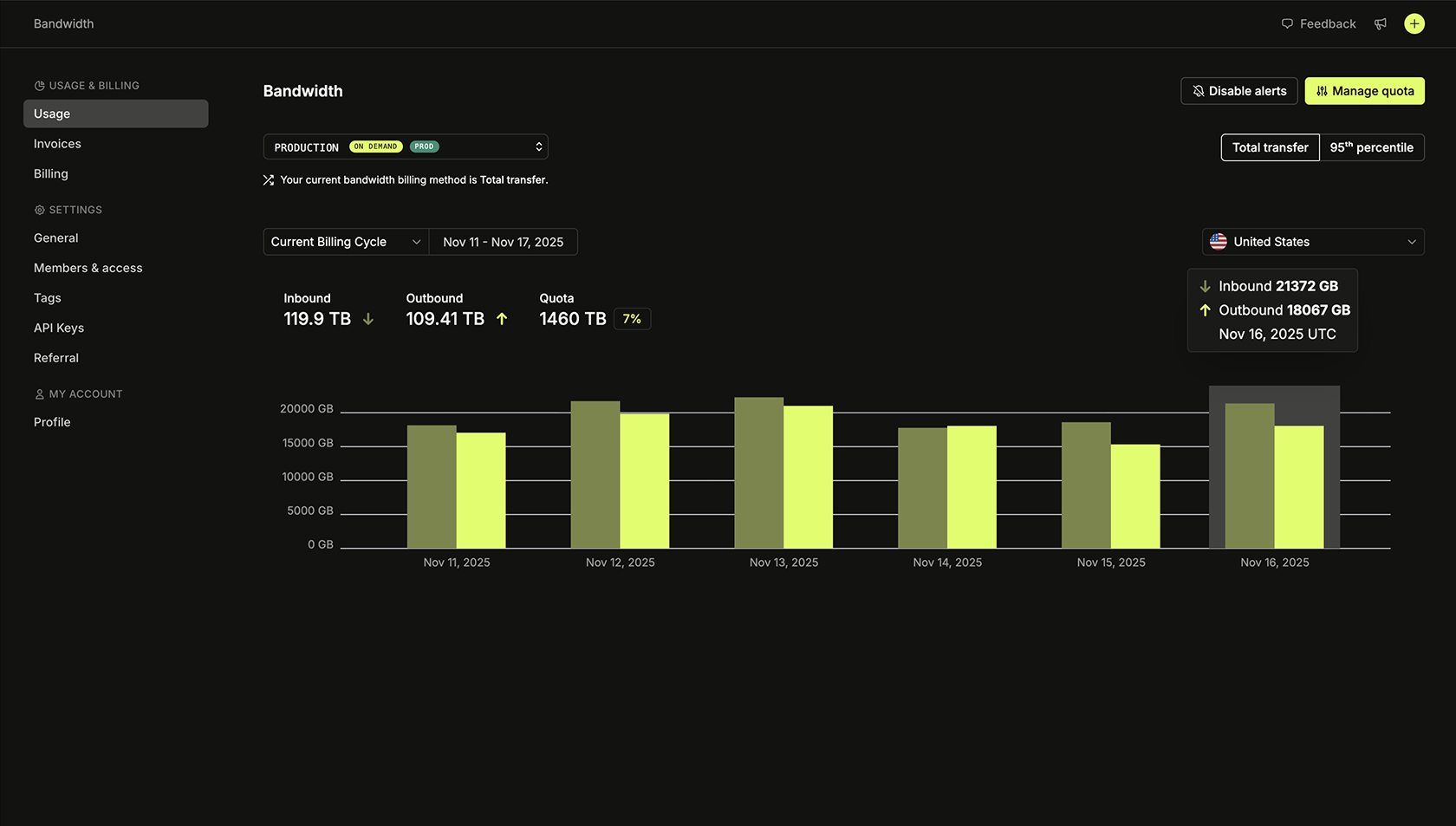 * **Total transfer:** Shows the total data transferred (both inbound and outbound).
* **95th percentile:** Calculates billing based on the 95th percentile of usage, ignoring the top 5% of usage peaks to provide predictable costs.
* **Inbound and outbound traffic:** Displays the amount of ingress and egress data used in the selected region.
* **Usage chart**: The usage chart provides a visual breakdown of bandwidth over time within the current billing cycle. Each bar represents the amount of data transferred on specific days, helping you identify peak usage periods.
* **Quota:** This is the total public data transfer your project can use before incurring overage charges. Each Latitude.sh server includes **20 TB of free egress traffic** and unlimited inbound ingress traffic. The 20 TB per server is added to your project's quota, which is shared among all servers in the same project and country.
| Type | Amount added to quota |
| :------------------- | :---------------------------------------------------------------------------------- |
| Free bandwidth | 20 TB per server |
| Additional bandwidth | Sold in increments of 10 TB. [See pricing](https://www.latitude.sh/pricing/network) |
Bandwidth is pooled even if servers are in different cities in the same
country. E.g., if you have servers in the US located in different cities, they
will share the same Bandwidth Quota.
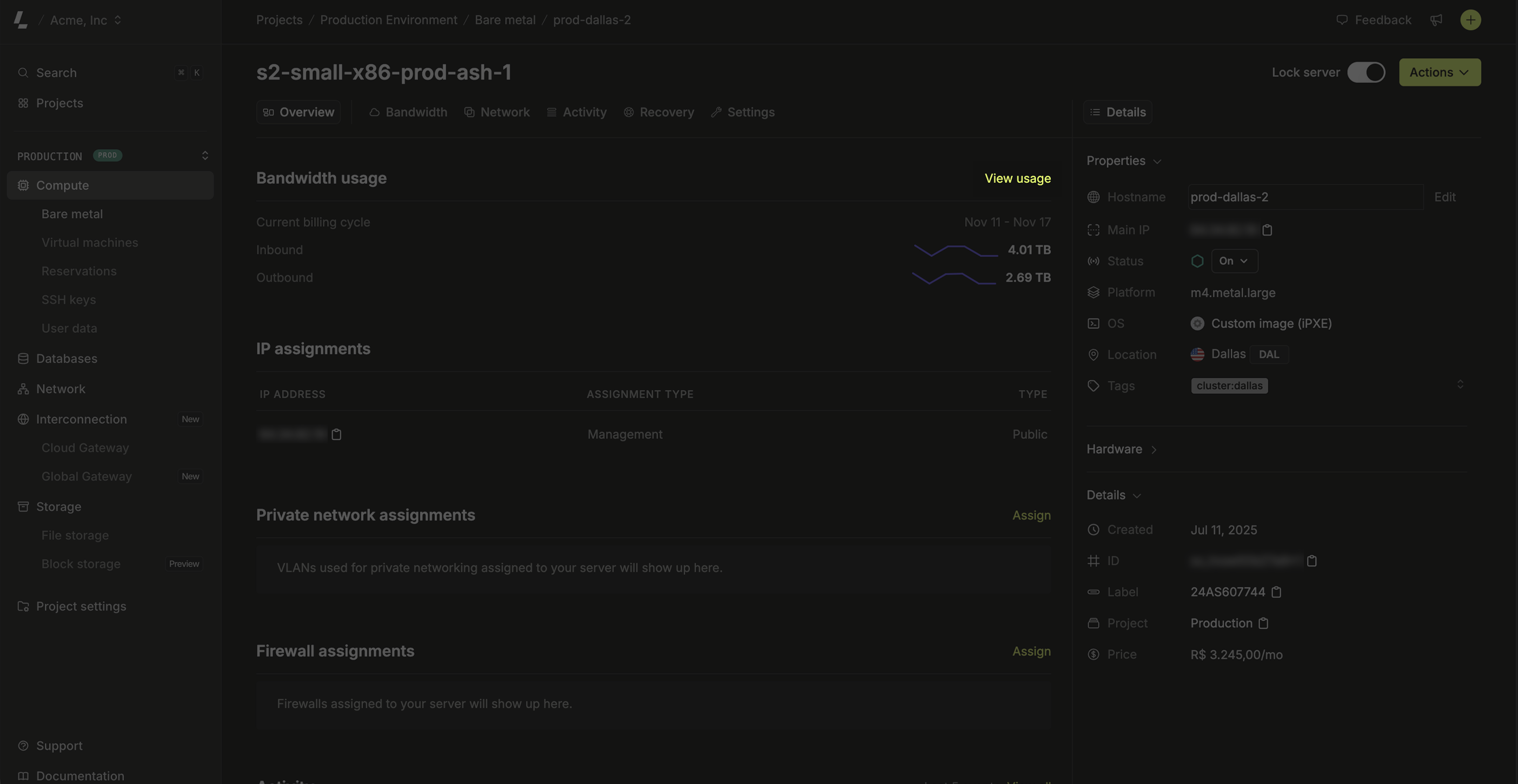
To check how much ingress and egress traffic a specific server has used, go to the server's page and click **View usage**.
* **Total transfer:** Shows the total data transferred (both inbound and outbound).
* **95th percentile:** Calculates billing based on the 95th percentile of usage, ignoring the top 5% of usage peaks to provide predictable costs.
* **Inbound and outbound traffic:** Displays the amount of ingress and egress data used in the selected region.
* **Usage chart**: The usage chart provides a visual breakdown of bandwidth over time within the current billing cycle. Each bar represents the amount of data transferred on specific days, helping you identify peak usage periods.
* **Quota:** This is the total public data transfer your project can use before incurring overage charges. Each Latitude.sh server includes **20 TB of free egress traffic** and unlimited inbound ingress traffic. The 20 TB per server is added to your project's quota, which is shared among all servers in the same project and country.
| Type | Amount added to quota |
| :------------------- | :---------------------------------------------------------------------------------- |
| Free bandwidth | 20 TB per server |
| Additional bandwidth | Sold in increments of 10 TB. [See pricing](https://www.latitude.sh/pricing/network) |
Bandwidth is pooled even if servers are in different cities in the same
country. E.g., if you have servers in the US located in different cities, they
will share the same Bandwidth Quota.
To check how much ingress and egress traffic a specific server has used, go to the server's page and click **View usage**.
 ## Managing your quota
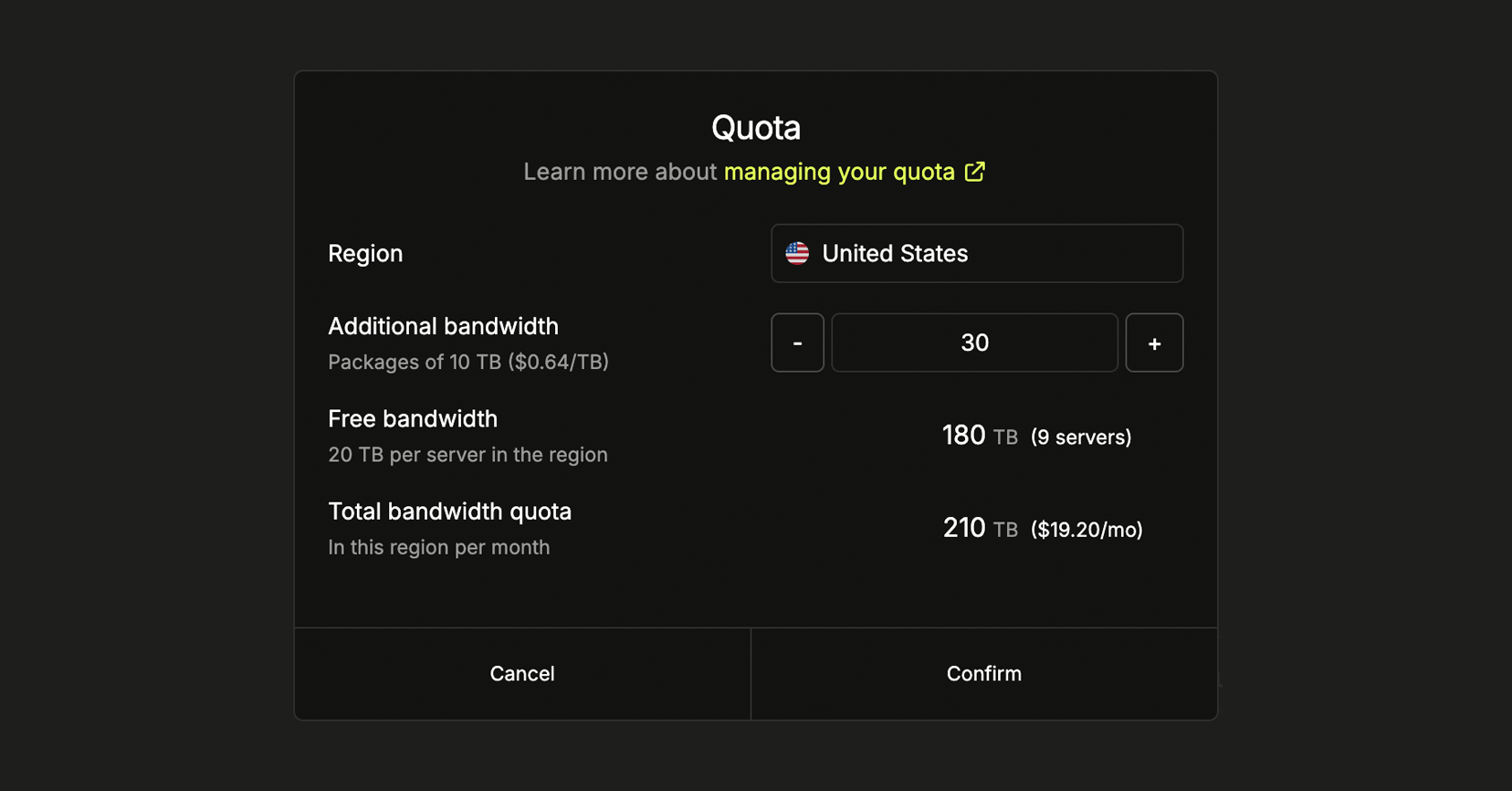
You can increase and decrease your quota by going to the **Usage & Billing** → **Overview** → **View details**, and clicking **Manage quota** in the top right. Additional bandwidth is sold in increments of 10 TB and automatically increases your quota for the selected country.
## Managing your quota
You can increase and decrease your quota by going to the **Usage & Billing** → **Overview** → **View details**, and clicking **Manage quota** in the top right. Additional bandwidth is sold in increments of 10 TB and automatically increases your quota for the selected country.
 ## Bandwidth alerts
Bandwidth alerts notify users with the **Administrator** role when the bandwidth quota for a region exceeds 80%. This feature helps you monitor and manage usage more effectively.
If you have multiple projects, enable this feature separately for each
project.
Follow these steps to enable Bandwidth alerts:
1. Navigate to **Settings** > **Project** > **General** in your [Project Settings](/docs/projects/project-settings).
2. Under **Bandwidth alerts**, click **Enable**.
Once enabled, administrators will receive up to three email notifications per week for any region expected to exceed the quota. Alerts stop automatically if you increase the project's quota or reduce usage below 80%.
## Overages
For all [regions](https://www.latitude.sh/locations), overage Bandwidth costs **\$0.01 per GB** that goes over your quota. By buying Bandwidth Packages, you can considerably reduce the cost per GB to as little as \$0.00125.
Bandwidth Packages can be added to a project in increments of 10 TB. Pricing for each country is available [here](https://www.latitude.sh/pricing/network).
## Bandwidth alerts
Bandwidth alerts notify users with the **Administrator** role when the bandwidth quota for a region exceeds 80%. This feature helps you monitor and manage usage more effectively.
If you have multiple projects, enable this feature separately for each
project.
Follow these steps to enable Bandwidth alerts:
1. Navigate to **Settings** > **Project** > **General** in your [Project Settings](/docs/projects/project-settings).
2. Under **Bandwidth alerts**, click **Enable**.
Once enabled, administrators will receive up to three email notifications per week for any region expected to exceed the quota. Alerts stop automatically if you increase the project's quota or reduce usage below 80%.
## Overages
For all [regions](https://www.latitude.sh/locations), overage Bandwidth costs **\$0.01 per GB** that goes over your quota. By buying Bandwidth Packages, you can considerably reduce the cost per GB to as little as \$0.00125.
Bandwidth Packages can be added to a project in increments of 10 TB. Pricing for each country is available [here](https://www.latitude.sh/pricing/network).