> ## Documentation Index
> Fetch the complete documentation index at: https://www.latitude.sh/docs/llms.txt
> Use this file to discover all available pages before exploring further.
# File storage
File storage is a high-performance, persistent storage solution for bare metal servers on the Latitude.sh platform. It provides scalable storage that ensures data is retained across reboots, making it ideal for workloads requiring long-term data management and flexibility.
File storage is optimized for fast access and seamless integration, offering a reliable way to manage data-intensive applications.
File storage is in private preview. [Request access](https://www.latitude.sh/dashboard/storage).
### Creating a filesystem
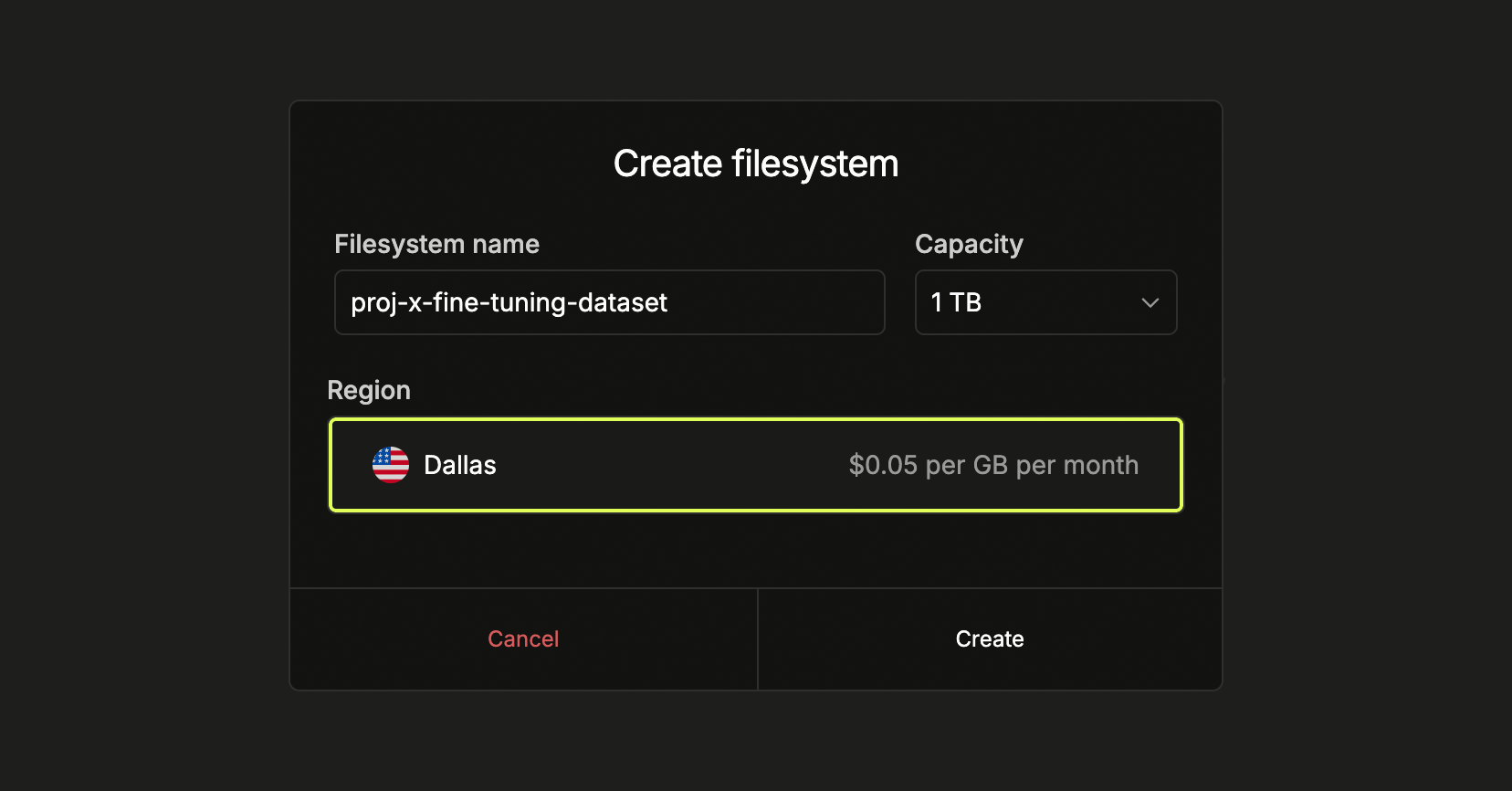
Log in to the Latitude.sh dashboard and navigate to **Storage** > **File
storage** in the sidebar. Click **Create filesystem**, specify the name of
your filesystem and click **Create**.
 ### Attaching storage to a server
From the Latitude.sh [dashboard](https://www.latitude.sh/dashboard), navigate to **Bare metal** and go to **Storage**. Click **Connect to bare metal** and copy the code shown.
Log in through SSH to the server you want to attach the filesystem to and paste the code you just copied. When prompted, enter the directory where you want to mount the filesystem.
### Attaching storage to a server
From the Latitude.sh [dashboard](https://www.latitude.sh/dashboard), navigate to **Bare metal** and go to **Storage**. Click **Connect to bare metal** and copy the code shown.
Log in through SSH to the server you want to attach the filesystem to and paste the code you just copied. When prompted, enter the directory where you want to mount the filesystem.
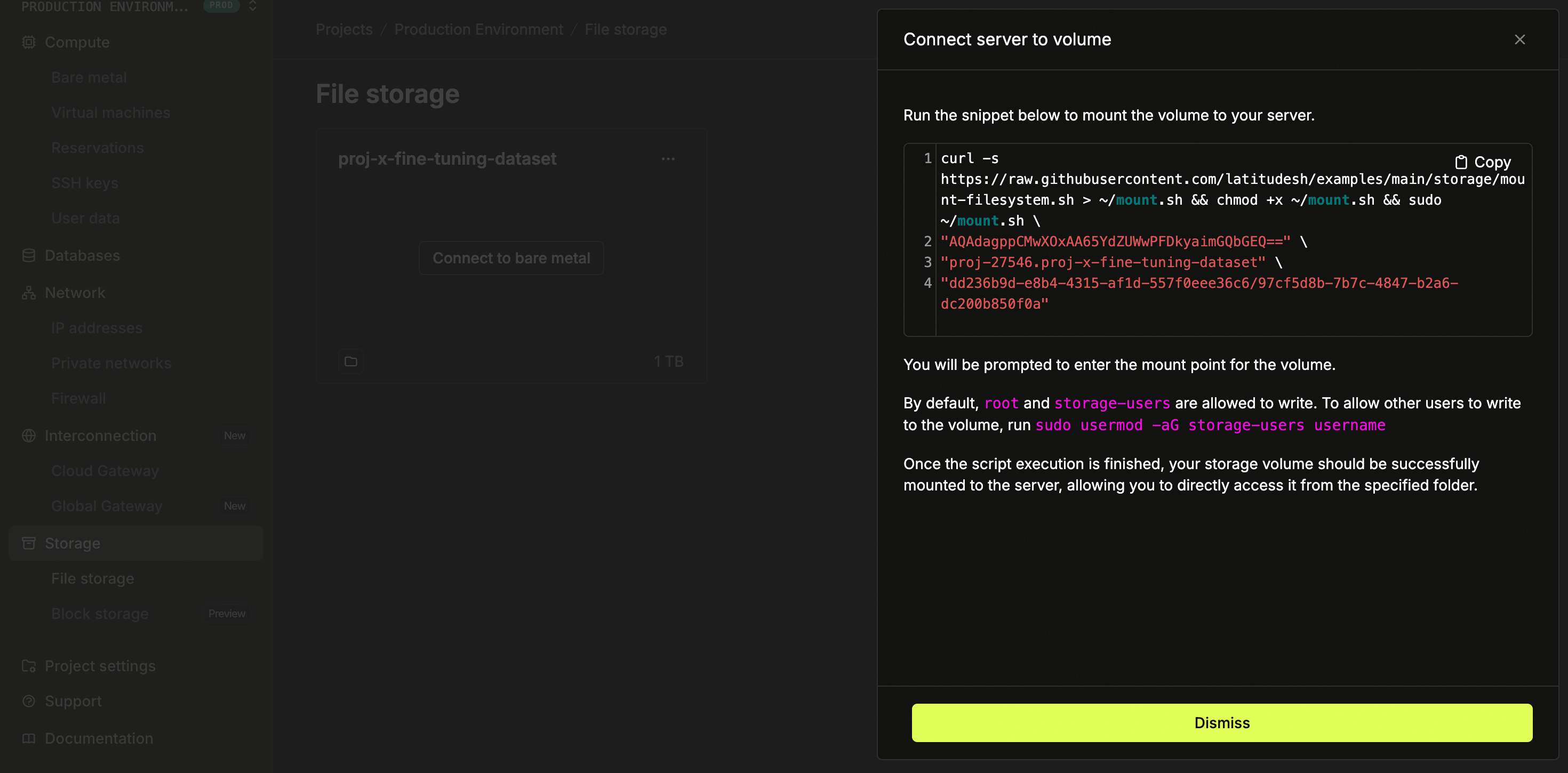 By default, only `root` and `storage-users` can write to the filesystem. If
needed, you can give others write access by using ` sudo usermod -aG
storage-users [username]`
### Pricing
Storage is priced based on provisioned capacity. Find more information on the pricing page.
By default, only `root` and `storage-users` can write to the filesystem. If
needed, you can give others write access by using ` sudo usermod -aG
storage-users [username]`
### Pricing
Storage is priced based on provisioned capacity. Find more information on the pricing page.