> ## Documentation Index
> Fetch the complete documentation index at: https://www.latitude.sh/docs/llms.txt
> Use this file to discover all available pages before exploring further.
# Managed Databases
Latitude.sh Managed Databases is a fully managed PostgreSQL database service that integrates with your infrastructure. It includes scheduled backups, IP-based access control, performance monitoring, and optional Supabase integration.
## Features
| Feature | Supported |
| ------------------------------ | --------- |
| Database Monitoring | ✓ |
| Scheduled Backups | ✓ |
| Trusted Sources (IP filtering) | ✓ |
| Database Parameters | ✓ |
| Supabase Addon | ✓ |
* **Database Monitoring**: Track performance metrics with automatic storage alerts when capacity thresholds are reached. [Learn more](/docs/managed-databases/monitoring).
* **Database Backups and Restoration**: Configure scheduled backups, view backup history, and restore data when needed. [Learn more](/docs/managed-databases/backups-and-restoration).
* **Trusted Sources**: Control database access with IP-based restrictions. [Learn more](/docs/managed-databases/trusted-sources).
* **Database Parameters**: Customize PostgreSQL and PgBouncer parameters to optimize your database for your specific workload. [Learn more](/docs/managed-databases/parameters).
* **Supabase Addon**: Add Supabase functionality for auto-generated APIs and database management tools. [Learn more](/docs/managed-databases/supabase-addon).
## Creating a database
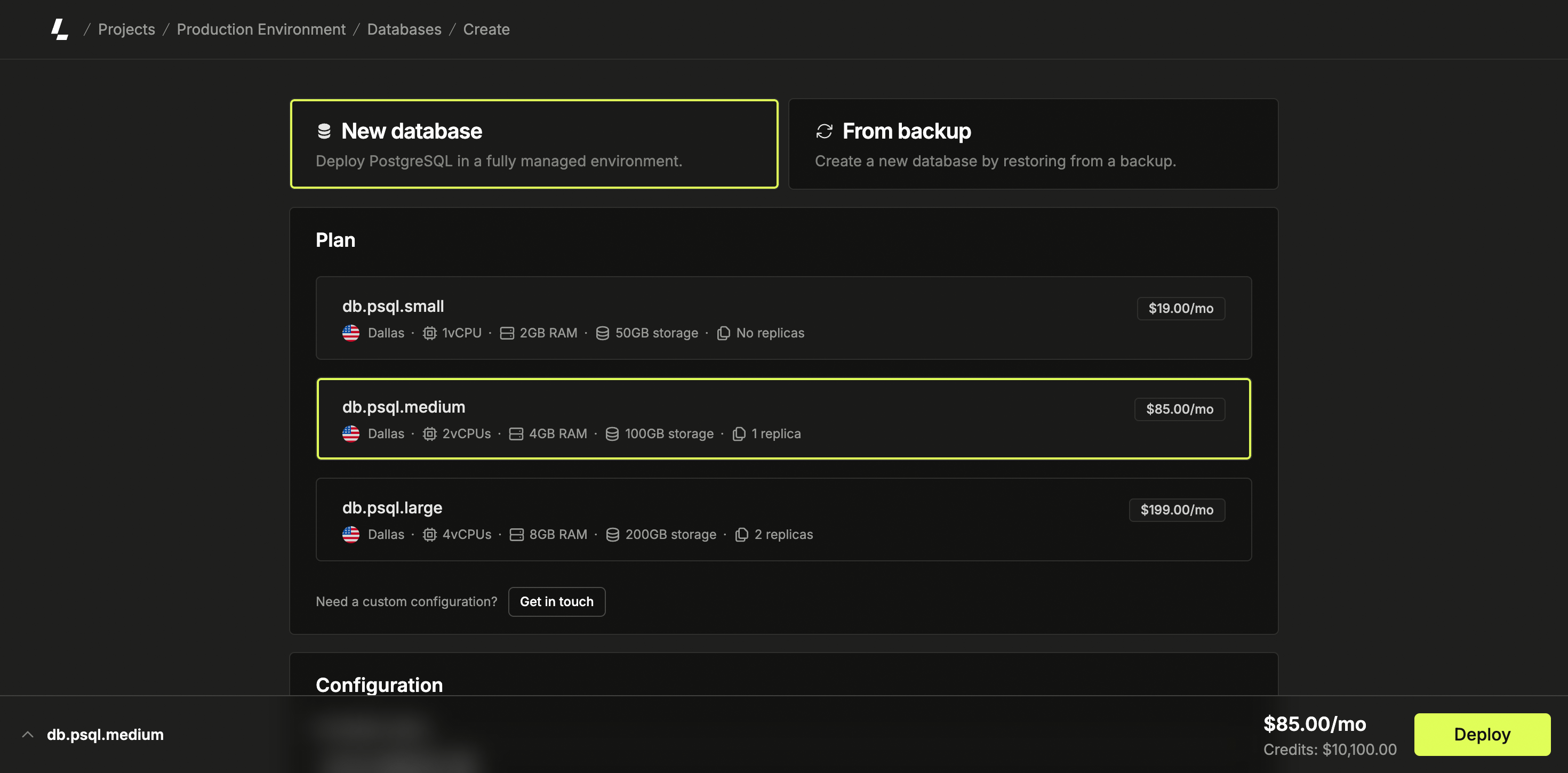
Log in to the dashboard, select a project, navigate to Databases in the sidebar menu, and click Create Database. Select "New Database" on the database deployment page.
Choose a location and plan based on your requirements. Optionally,
configure scheduled backups according to your backup requirements. Provide a
name for your database.
Click Deploy to create your database.
 ## Additional documentation
* [Database Monitoring](/docs/managed-databases/monitoring) - Monitor the performance and usage of your databases.
* [Database Backups and Restoration](/docs/managed-databases/backups-and-restoration) - Configure and manage automated scheduled backups.
* [Trusted Sources](/docs/managed-databases/trusted-sources) - Control database access with IP-based restrictions.
* [Database Parameters](/docs/managed-databases/parameters) - Customize PostgreSQL and PgBouncer parameters for your workload.
* [Supabase Addon](/docs/managed-databases/supabase-addon) - Optional Supabase functionality for enhanced developer experience.
## Additional documentation
* [Database Monitoring](/docs/managed-databases/monitoring) - Monitor the performance and usage of your databases.
* [Database Backups and Restoration](/docs/managed-databases/backups-and-restoration) - Configure and manage automated scheduled backups.
* [Trusted Sources](/docs/managed-databases/trusted-sources) - Control database access with IP-based restrictions.
* [Database Parameters](/docs/managed-databases/parameters) - Customize PostgreSQL and PgBouncer parameters for your workload.
* [Supabase Addon](/docs/managed-databases/supabase-addon) - Optional Supabase functionality for enhanced developer experience.